
An AI analyst on your TradingView chart
A free extension that reads any chart in plain English, adds the options data that matters, and journals your trades. It teaches; you decide.
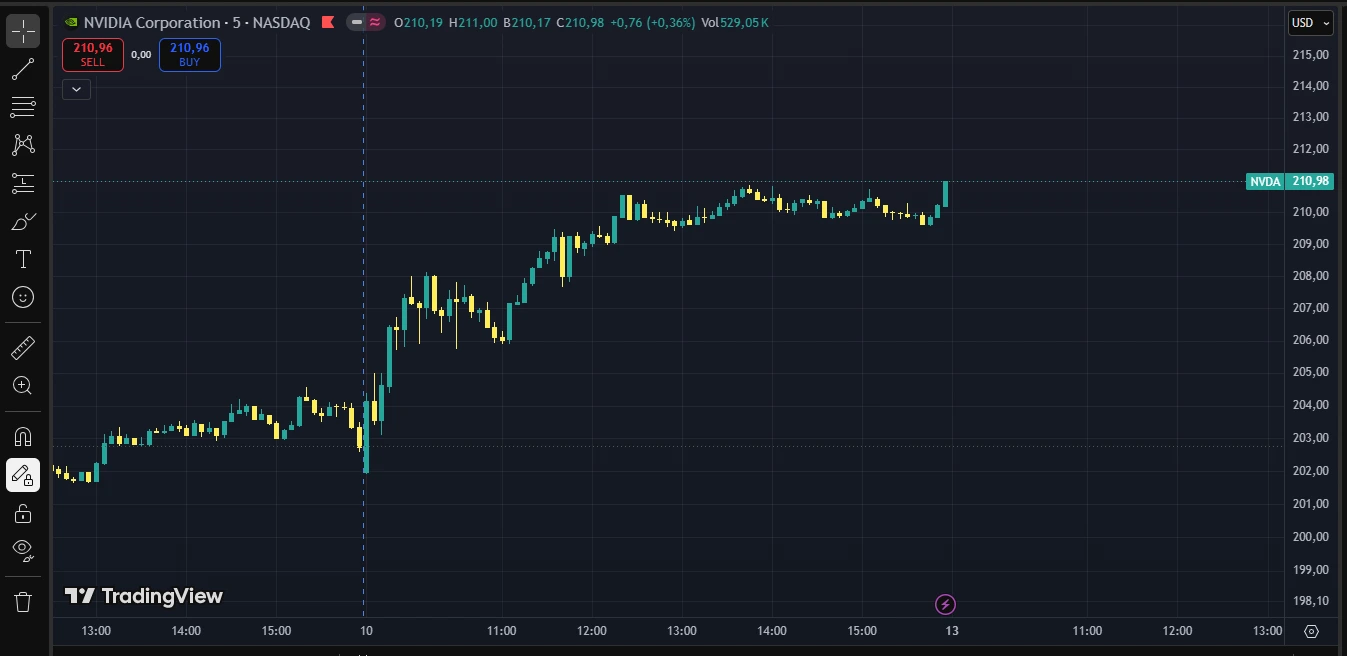
| Call wall | 215 · 42,100 OI |
| Put wall | 205 · 38,400 OI |
| Max pain | 210 |
| IV / HV | 1.42 |
| Expected move | ±6.8% |
| Side | Strike | Exp | V/OI |
|---|---|---|---|
| CALL | 215 | 07-18 | 3.4 |
| CALL | 210 | 07-18 | 2.7 |
| PUT | 205 | 07-18 | 2.3 |
| Spot | 210.98 |
| Implied move | ±6.8% |
| Range | 196.6 – 225.3 |
| ATM IV | 48.2% |
| Next report | Aug 27, AMC |
| Avg move | ±8.4% |
| Implied (this cycle) | ±9.1% |
Educational only · positioning, not predictions · not financial advice
Live preview — tap the tools. The real panel rides on top of TradingView, right in your browser · educational only.
The Copilot is free. The IVAlert data plugs in.
- Reads the chart on your screen and explains trend, structure and patterns — in plain language
- Full trade journal for stocks, options, futures and forex, with R-multiples and dollars-first stats
- Coaching from your own journal: setups, mistakes and prop-risk limits
Works with OpenAI, Anthropic or Google — pennies per chat, paid straight to the provider.
- Every answer carries IVAlert's options data: gamma walls, max pain, expected move and earnings timing
- Unusual-activity and pace-vs-baseline context on the name you're viewing
- Plus the full terminal: graded screens, Flow Radar and Telegram alerts
Exact numbers come from the data feed, never the pixels.
- Add the Chrome extensionthen open TradingView
- Paste your AI keyit stays in your browser
- Ask, learn, logthe journal builds as you trade
Every trade graded. Every leak named.
A trade log that coaches you
Log or import any trade — stocks, options, futures, forex. R-multiples, P&L and prop-firm risk, reviewed with AI from your own numbers.
- Prop-firm aware. Trailing, static and daily-loss limits tracked per account — you see the line before the firm does.
- A tutor, not a tipster. It explains and questions your trades — never buy-or-sell calls, never predictions.
Expectancy is +0.67R per trade over this sample — small, but the process is positive. Educational only.
The journal flags how close you are to the firm's limits before they do. Educational only.
Set goals on P&L, win rate, R or trade count — the journal tracks them as you log.
Free forever. $19 for the options data.
Copilot and journal are free with your own AI key. Member adds IVAlert's walls, max pain, expected move and earnings timing to every answer, plus the full terminal.
Free
- IVAlert Copilot: reads your chart and explains it
- Trade journal: stocks, options, futures & forex, with prop-risk
- Market Pulse: index gamma & regime
- Insider trades (SEC Form 4)
- Ticker overviews & quotes
Member
- Everything in Free
- IVAlert data inside the Copilot: walls, max pain, expected move
- Pre-earnings positioning terminal
- Flow Radar: pace-vs-baseline flags
- Full A–F graded screen + screener
- Unusual options flow tape
- Telegram alerts: grades, positioning, watchlist
- CSV exports
The Copilot and journal are free forever. Member unlocks the options data and the full terminal — typically a fraction of what the large flow platforms charge.
Straight answers
Yes. The Copilot and the journal are free. You bring your own AI key (OpenAI, Anthropic or Google) and pay that provider directly for usage — typically pennies per conversation. The IVAlert membership adds the options data feed to the Copilot plus the full terminal.
Your messages and chart screenshots go directly from your browser to the AI provider you connected — IVAlert servers never receive them. The journal is stored locally on your device, and you can export it any time. See the privacy policy for details.
No. It is an educational study tool: it describes what is on the chart, explains the concepts, and reviews your own past trades. It does not give buy or sell recommendations, price targets, or personalized advice, and using it creates no advisory relationship.
The extension works alongside TradingView charts in Chrome. The journal accepts trades from any platform — type them in, import a CSV, or paste a screenshot of your trade history and the Copilot extracts the trades for review.
Try the copilot on your next chart
Add to Chrome — freeEducational study tool · not investment advice · AI output can be wrong — verify it
Take it with you, on every screen
Chart copilot on your desktop. Terminal, screens and alerts in your pocket — one account, everywhere.